To add a teacher to their class page, follow the steps listed below.
In the portrait manager, ensure the teachers are assigned to their own classroom groups. Details on the steps to follow are here.
In the page editor:
When the portraits are flown into the book, the teachers will automatically be at the front of the group.
- Use a Grids preset that includes a Feature portrait
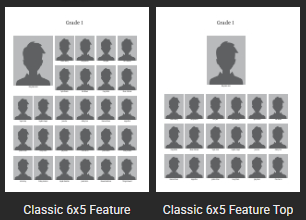
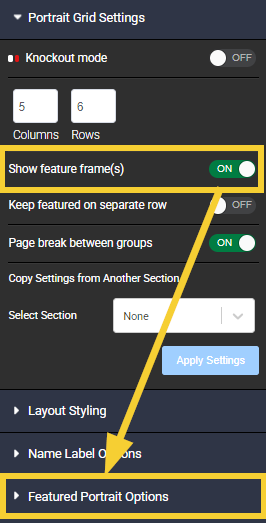
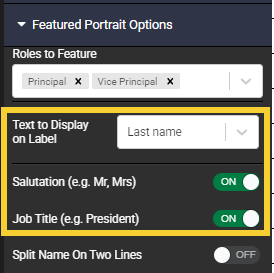
- If the featured teacher does not automatically enlarge to a 2x2 frame, access the Advanced tab to configure the featured frame options.This includes specifying the roles to feature (teacher, assistant teacher), and special configuration for the labels.
Was this article helpful?
That’s Great!
Thank you for your feedback
Sorry! We couldn't be helpful
Thank you for your feedback
Feedback sent
We appreciate your effort and will try to fix the article