Editors-in-chief have access to Advanced Settings tab. In this area, select what elements of Memento's design collection is available to your book in the editor, and import previous year's content (sections, pages, album) to your current book.
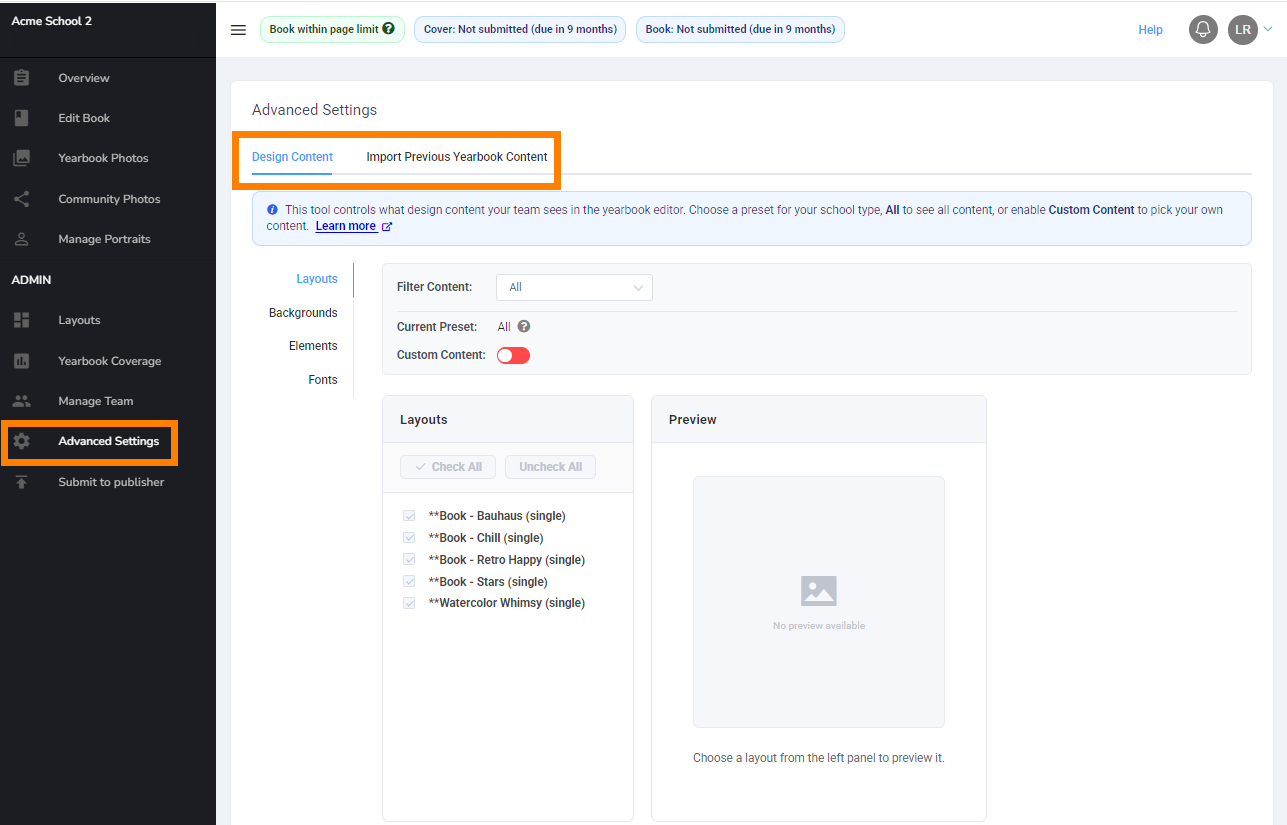
TABLE OF CONTENTS
Design Content FilteringThe Design content tab provides access to manage Memento's layouts, backgrounds, elements and fonts. Limit your team to accessing only particular collections, or allow free access - the choice is yours. | 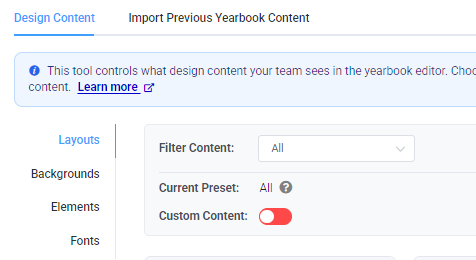 |
| To quickly filter content by grade appropriateness, access the Filter Content dropdown to make your selection. Only content tagged at the selected grade level by the Memento design team will appear in the editor. | 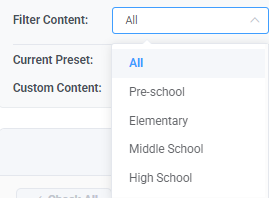 |
| For a completely custom selection, layouts, backgrounds, elements or fonts. Turn on the Custom Content toggle to make specific selection. | 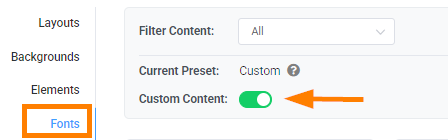 |
| Click on an item in the list to see a preview of the content (collection previews or font sample). Turn the checkmark off to hide content, leave the checkmark on to make the content available in the editor. Use the Check All or Uncheck All buttons at the top of the list for a quick selection. | 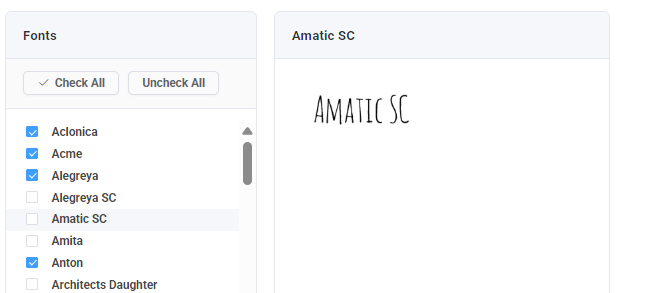 |
Import Previous Yearbook ContentIf your Memento yearbook was renewed under the same account, you will have access to your previous year(s) books content. Sections and their pages as well as yearbook albums may be imported at any time - at the start of your new project to recycle everything from the previous year, or later to add back one or two sections to your ladder to recycle a few special layouts. Click Import Content to begin. | 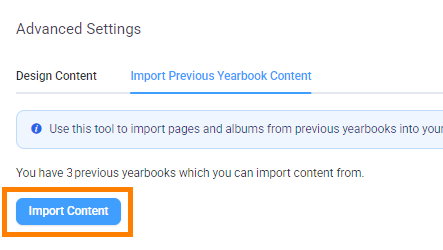 |
| Choose a previous book, then click Next. | 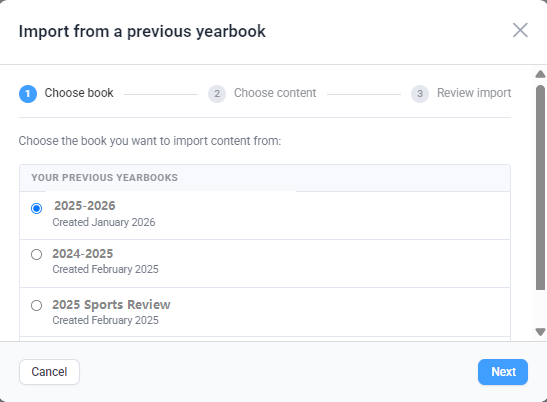 |
| Scroll down to review the previous book's sections. Select all, a few or a single section to import to your current ladder. Note that when imported, the section and all candid pages within it will regenerate at the bottom of your current book's ladder. You can move the imported section on your ladder and manage the pages within them as needed. Note that the photos and text on the imported pages will appear as empty placeholder frames to avoid using previous year's images and captions. Important: scroll to the bottom of the section list to choose if backgrounds and elements on the imported pages (added from Memento's collection) will be preserved on the page.  | 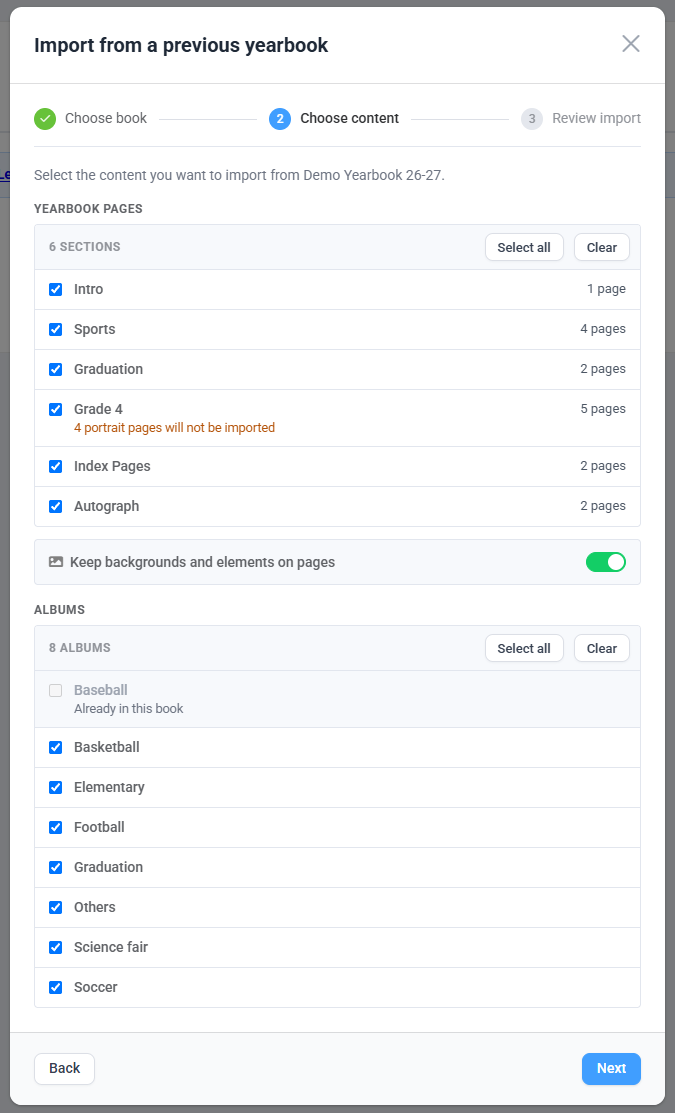 |
| Continue to scroll to down to access a list of photo albums from the previous book. Select all, a few, or none of these. The albums will be imported without photos into your current book so you don't need to recreate folders for the current year. | 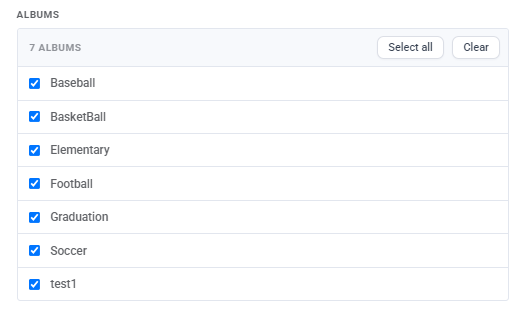 |
Was this article helpful?
That’s Great!
Thank you for your feedback
Sorry! We couldn't be helpful
Thank you for your feedback
Feedback sent
We appreciate your effort and will try to fix the article