| A portrait coverage summary is available on the Overview tab. | 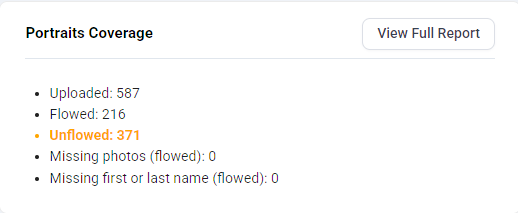 |
| A detailed coverage report is available at the top of Manage Portraits. Click on the V to expand the report. Unflowed portraits, excluded portraits and portraits missing potentially critical data are highlighted. This tool is used best in conjunction with the Filter option in the portrait manager enabling corrections to be made quickly. 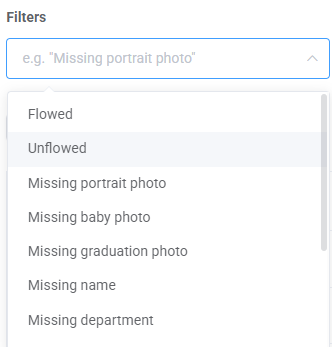 | 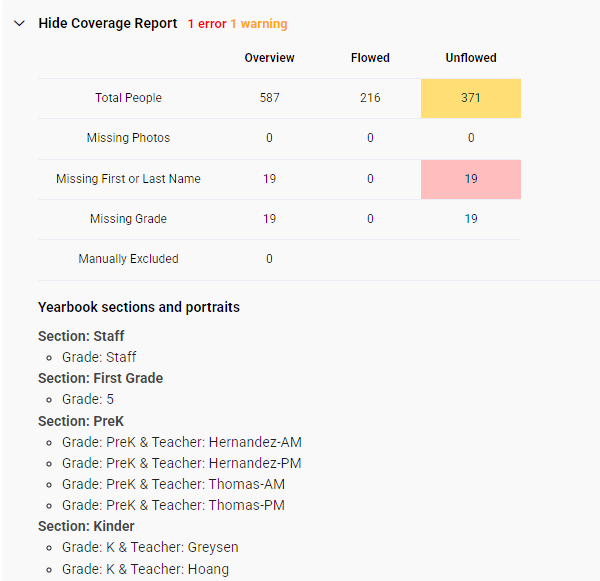 |
| Editors-in-chief may access a detailed Yearbook Coverage Report which is reviewed in detail in a separate article. The Yearbook Coverage report tracks tagged candid photos to portraits, and provides a summary to understand which students may be over- or under- represented in the book. | 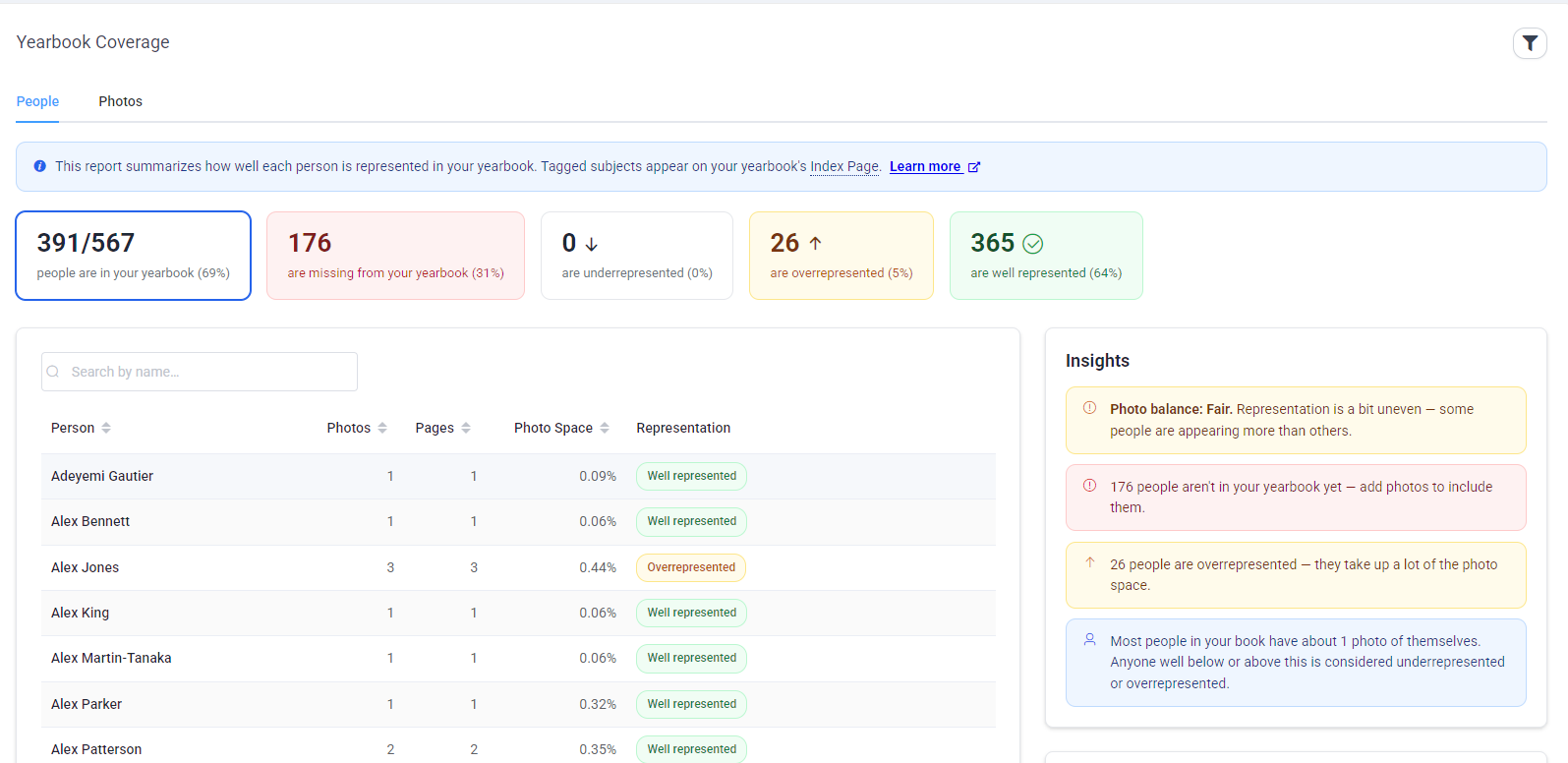 |
Was this article helpful?
That’s Great!
Thank you for your feedback
Sorry! We couldn't be helpful
Thank you for your feedback
Feedback sent
We appreciate your effort and will try to fix the article