What is a Portrait Page?
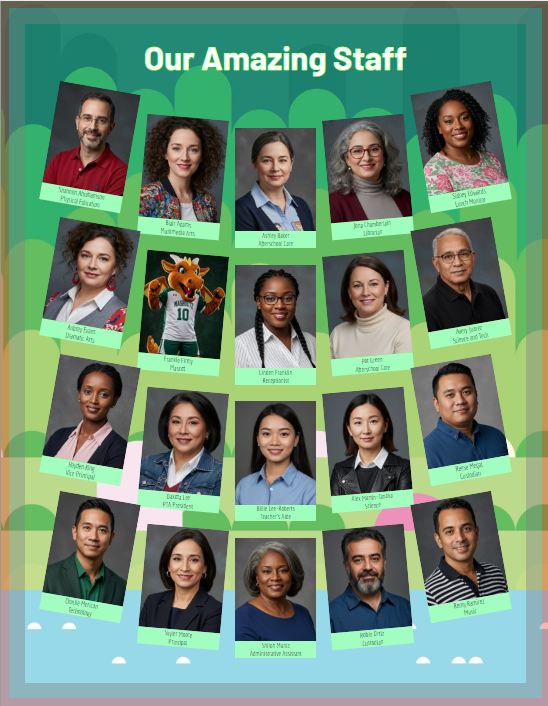
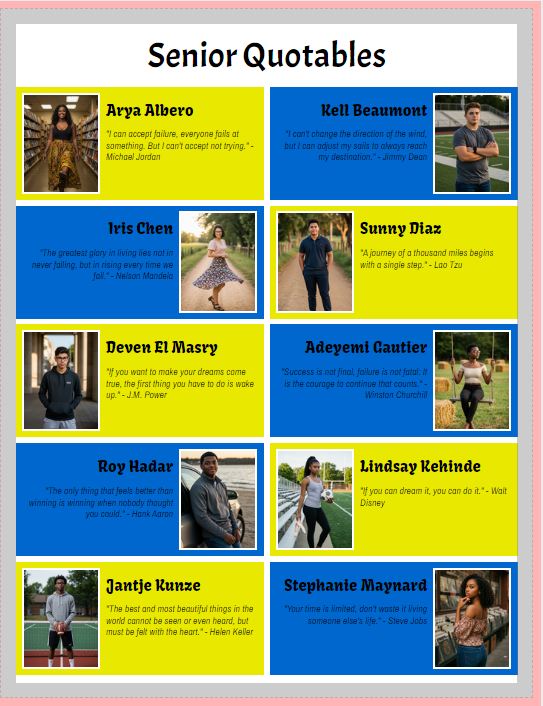
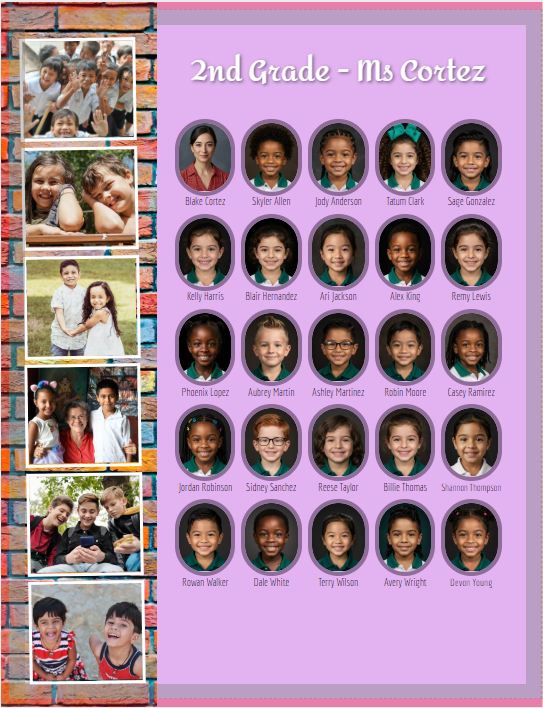
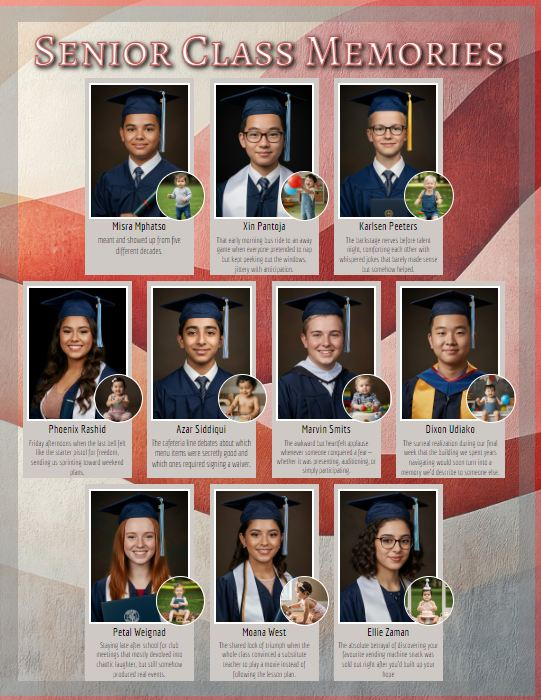
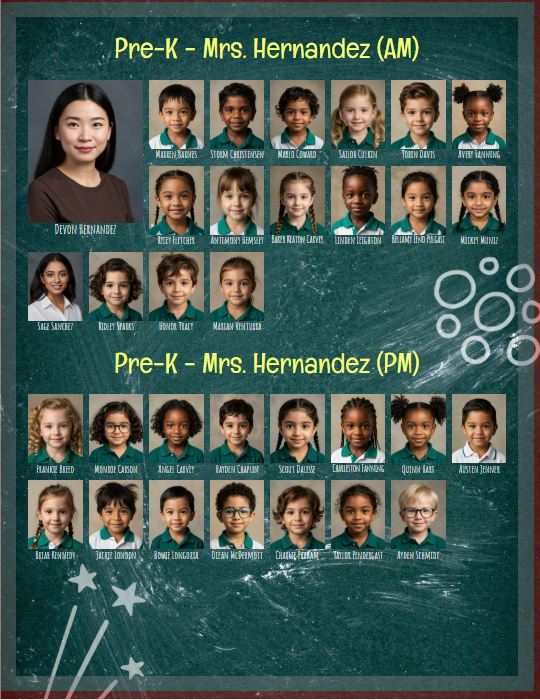
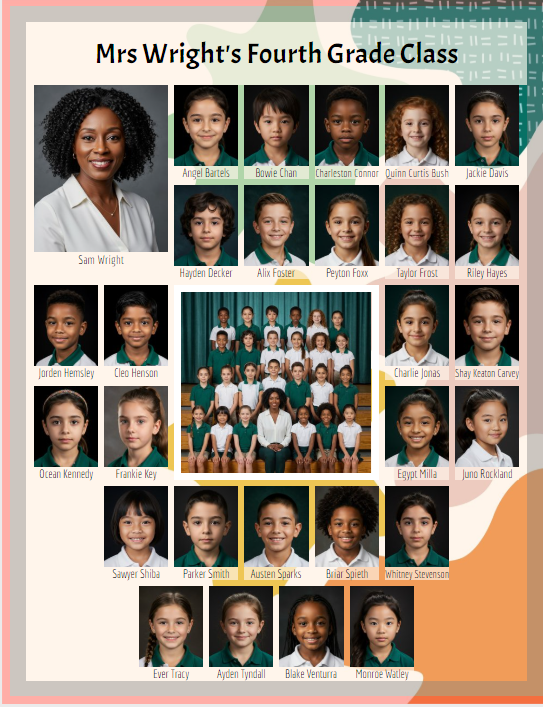
Portrait pages consist of student and staff photos arranged into labelled grids grouped by grade and/or classroom. Each portrait is labelled with the person's first and last name and may include other details -- job titles, salutation (eg. Mrs., Mr., Dr.) senior quotes and memories.
 |  |  |
 |  |  |
How is a portrait page created?
Step 1: A portrait package (PSPA format) is imported into Memento under Manage Portraits.
Your school photography company a portrait package to you or import it directly into Memento. Ask your photo company if you are unsure how you will receive your portraits.
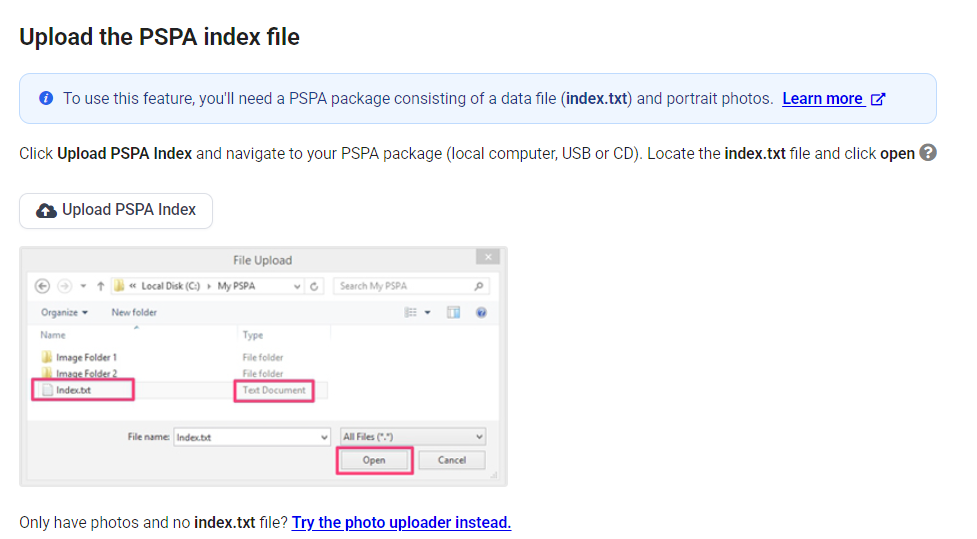
Note: If you only have portrait photos but no text file that include data (names, grades, etc.), you still can use the portrait manager and page design system. Import the images and then manually add data under Manage Portraits. You will still save a lot of time building and correcting your pages, rather than manually build your pages.
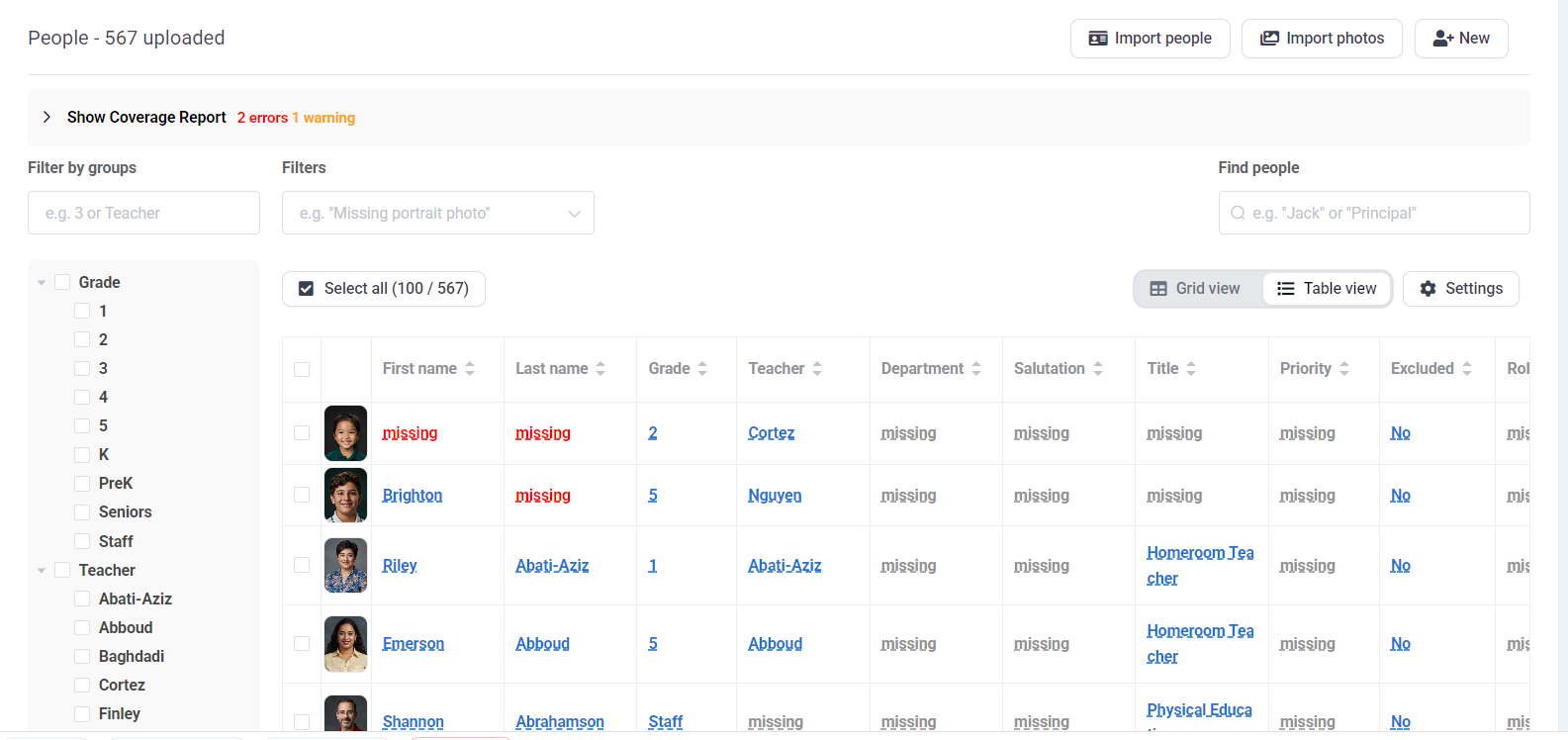
Step 2: Once the portraits are uploaded, your team can make updates to the images and data. Changes the the portrait database may be made at any time prior to submitting your book to print, so last minute corrections may be made.
- Correct name typos, class/grade assignments and swap out the portrait image with a retake.
- Assign roles to place staff within groups and hierarchies, and add their job titles and salutations.
- Add extra photos for the senior class (baby pics, grad photos, etc) and include their senior quote and/or a special memory.
- Add retake photos for people who missed photo day -- these can be manually uploaded.
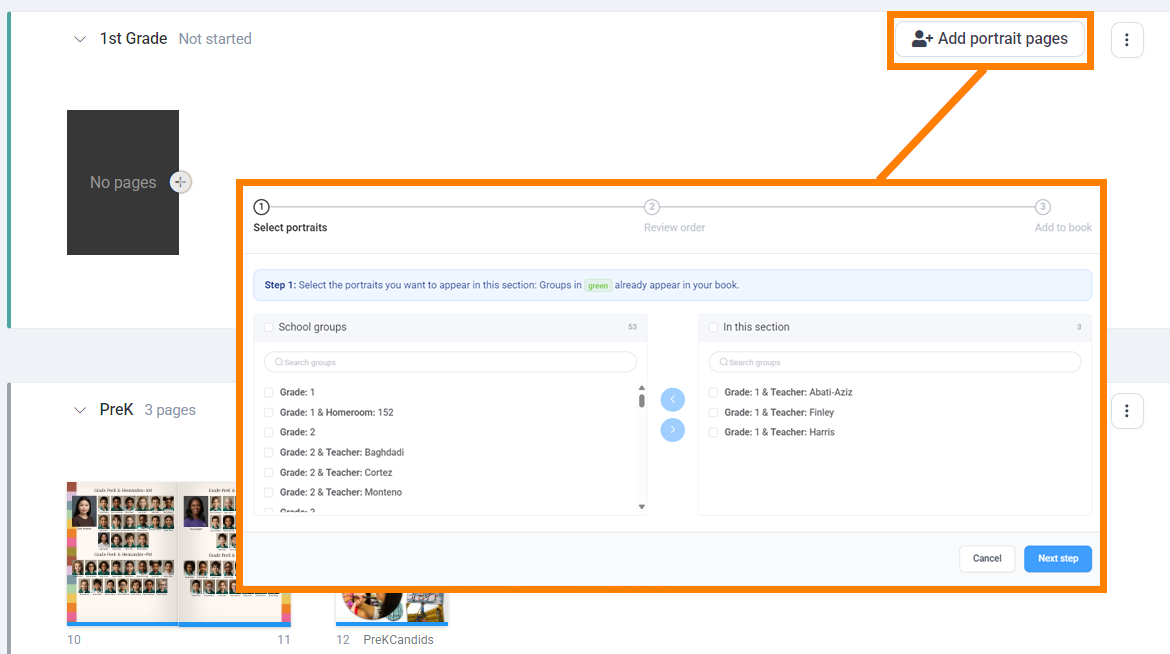
Step 3: Portraits are flowed onto pages in your book on the book ladder. Note that you do not need to add pages to your book to accommodate the portrait pages. Simply add a portrait flow to a section, and it will automatically create as many pages as needed to fit the portraits.
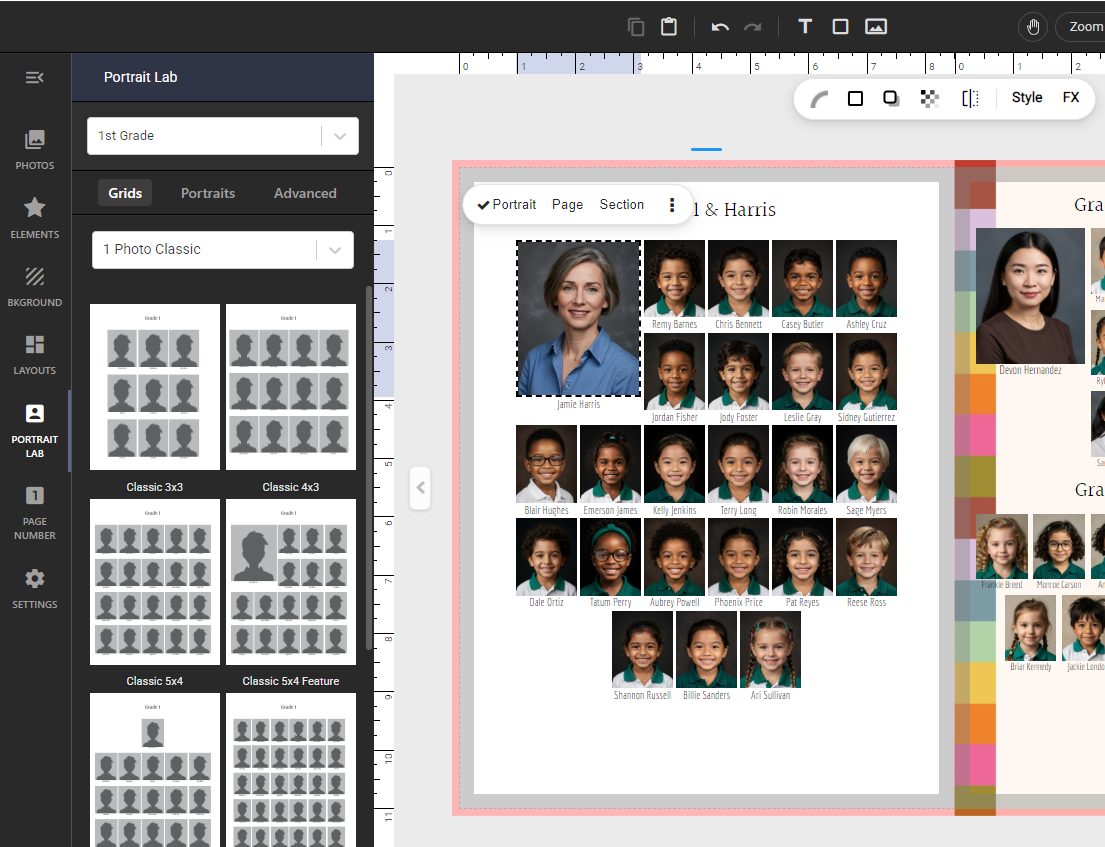
Step 4: Customize the portrait pages in the editor. Grid and portrait style presets are available as well as advanced options. Unleash your creativity!
Step 5 (optional): On the ladder, render a proof pdf file of each portrait section or the entire book to circulate to your staff. They can review the portrait pages to make sure that there are no name typos, everyone is in the correct group, and there are no missing students or staff.
Was this article helpful?
That’s Great!
Thank you for your feedback
Sorry! We couldn't be helpful
Thank you for your feedback
Feedback sent
We appreciate your effort and will try to fix the article